Default Header
(header konnte nicht geladen werden)

| 3/16/2016 10:07 AM | |



Joined: 3/14/2008 Last visit: 12/28/2025 Posts: 2233 Rating:
|
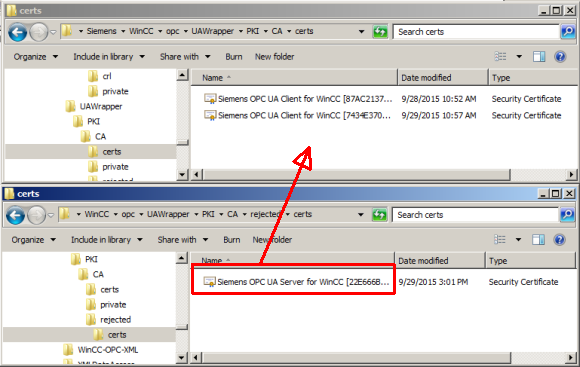
Hi, The error you get is normal during the certificate exchange. You can acknowledge the error with "OK". Do the following next:
3. Do the same for server It should be good then. But in some case, the error could mean that the WinCC server cannot be reached at all. You can use the "telnet" tool to determine whether or not the connection has been established. For this you open the Windows input prompt and enter the command line "telnet [server] [port]". For this you use the values from Step 6. If you get the error message "Could not open connection to the host ... Connect failed", either the addressed computer cannot be reached, no OPC UA server is running on it or the server is configured for a different port. Make sure that your firewall does not prevent communication between server and client. Notes
Best regards, Oreca |
Last edited by: Oreca at: 3/16/2016 10:08:22 AMChanged image size to fit screen If I could help you, you can use the RATE button. Thank you. |
|




Follow us on